Features
Everything a website needs – and nothing more.
Seven areas, one shared core. Every feature can be switched on or off per website.
Content & blocks
Edit where the content lives.
-
On-page editing
Block editor with inline editing, formatting bar, section options, draft/live and versions.
-
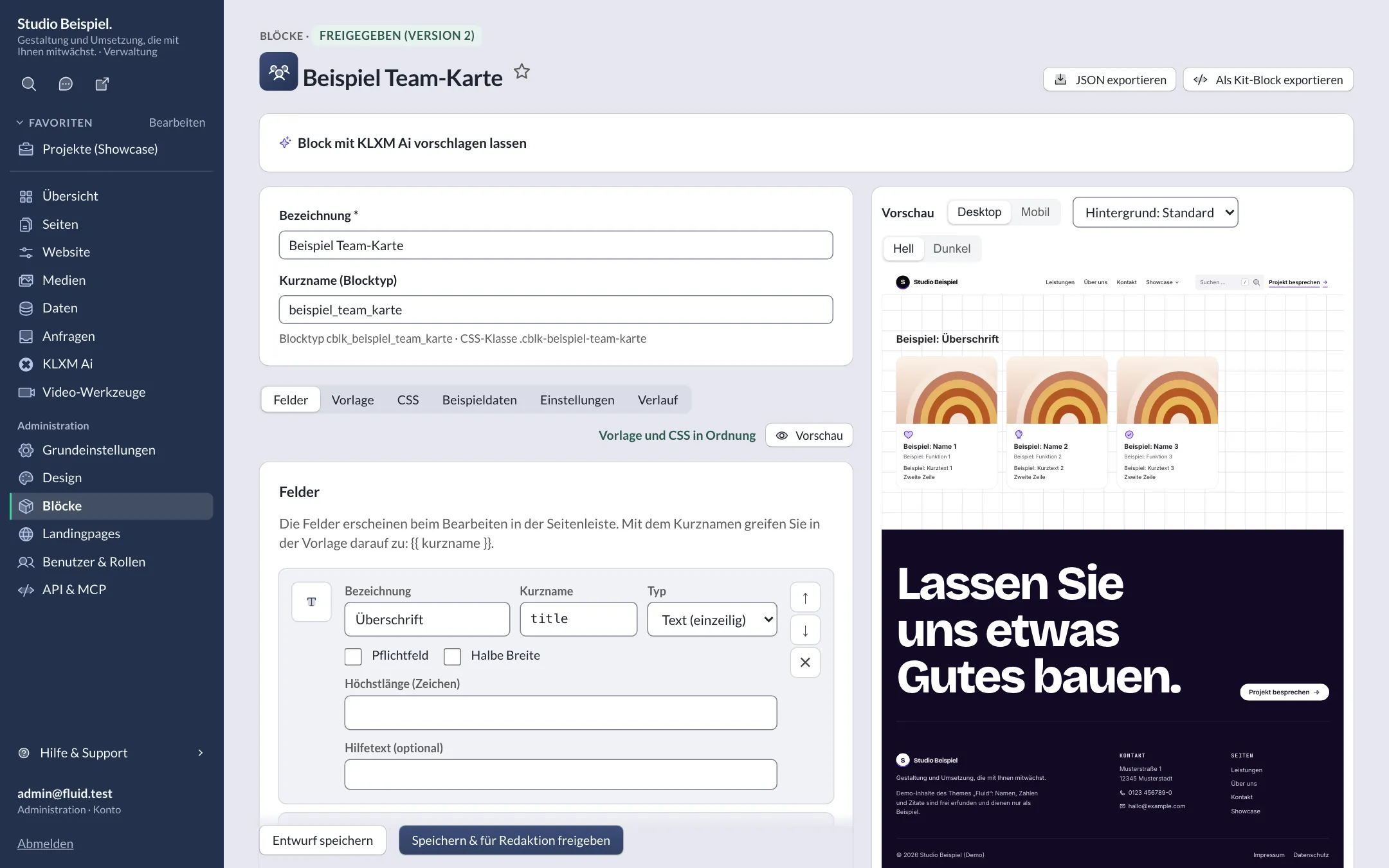
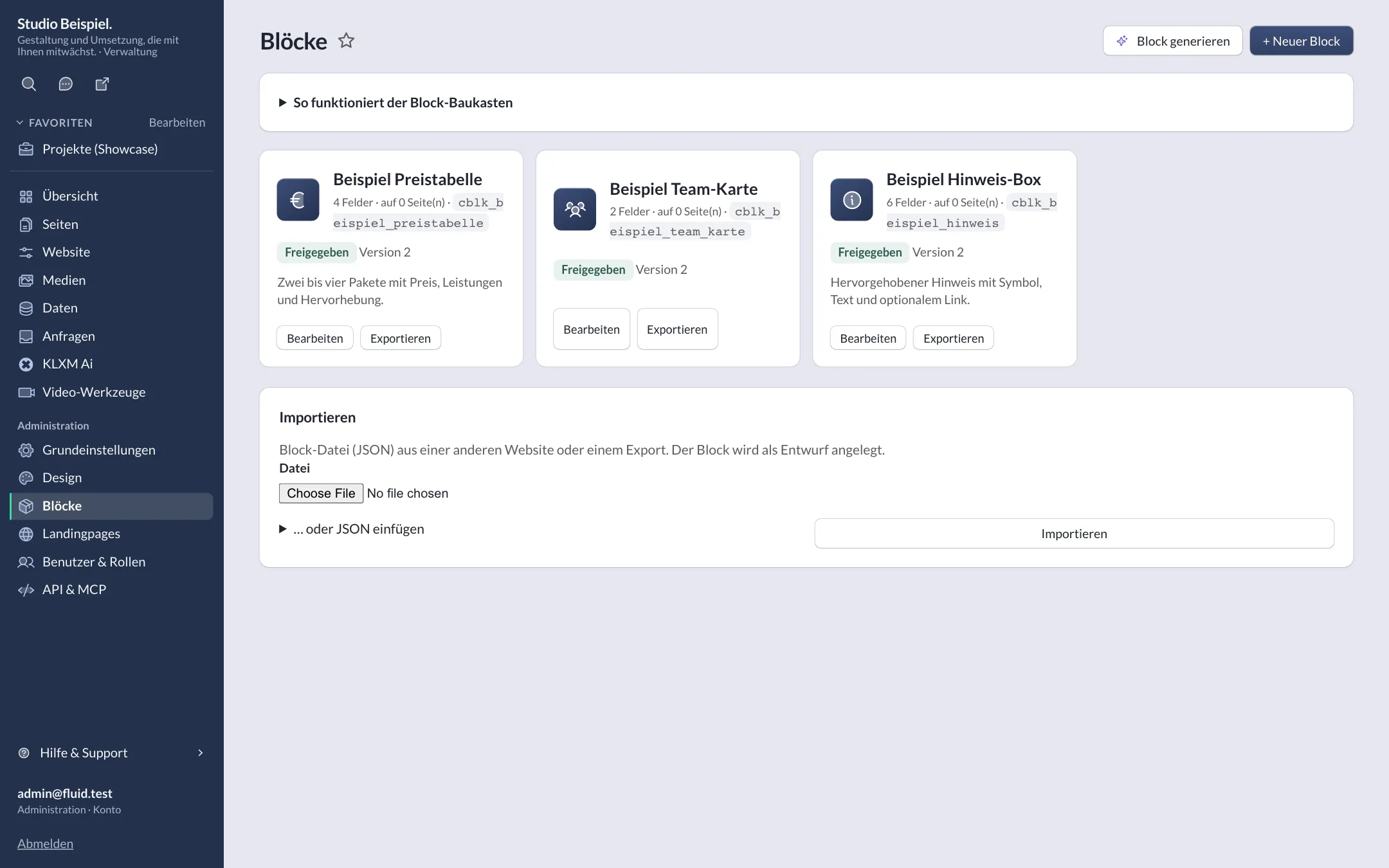
Block builder
Custom blocks from fields, a safe template language and scoped CSS – no PHP, no deploy; export as a kit block.
-
Rich text
Headings, lists, quotes and links to pages, entries and files – they stay valid when addresses change.
-
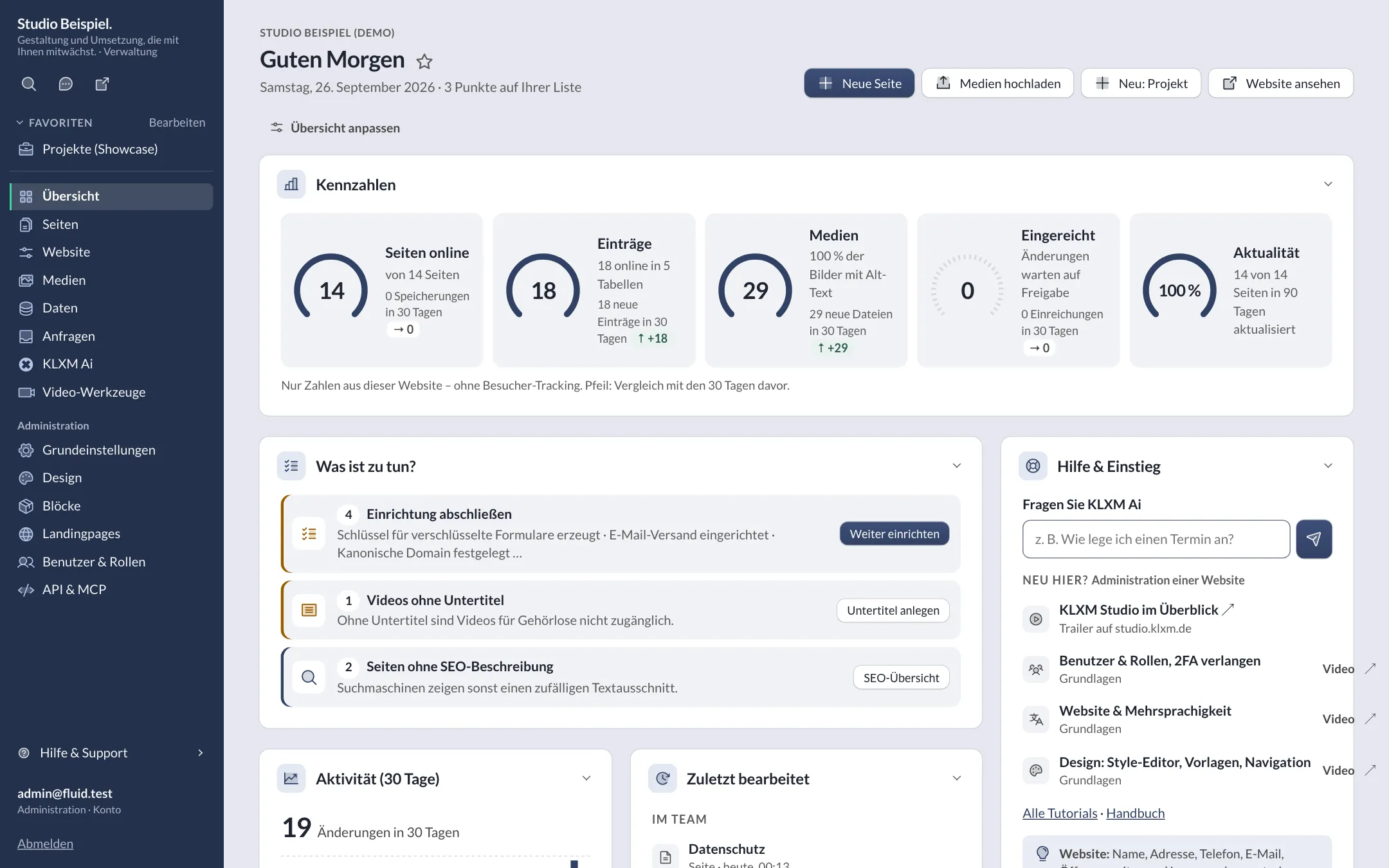
The new dashboard
Key figures with a 30-day trend, “what to do” by urgency, statistics without visitor tracking, recently edited and help & getting started – customisable per account.
-
Key figures with dials
Figures as a dial or a large row – with an optional fill level.
-
Page tree & SEO
Nested pages, menu, redirects for old addresses, SEO fields and structured data.
-
Multilingual
Content, media texts and forms per language; admin fully in German and English.
Kits & design
Nine kits, one style editor.
-
Style editor
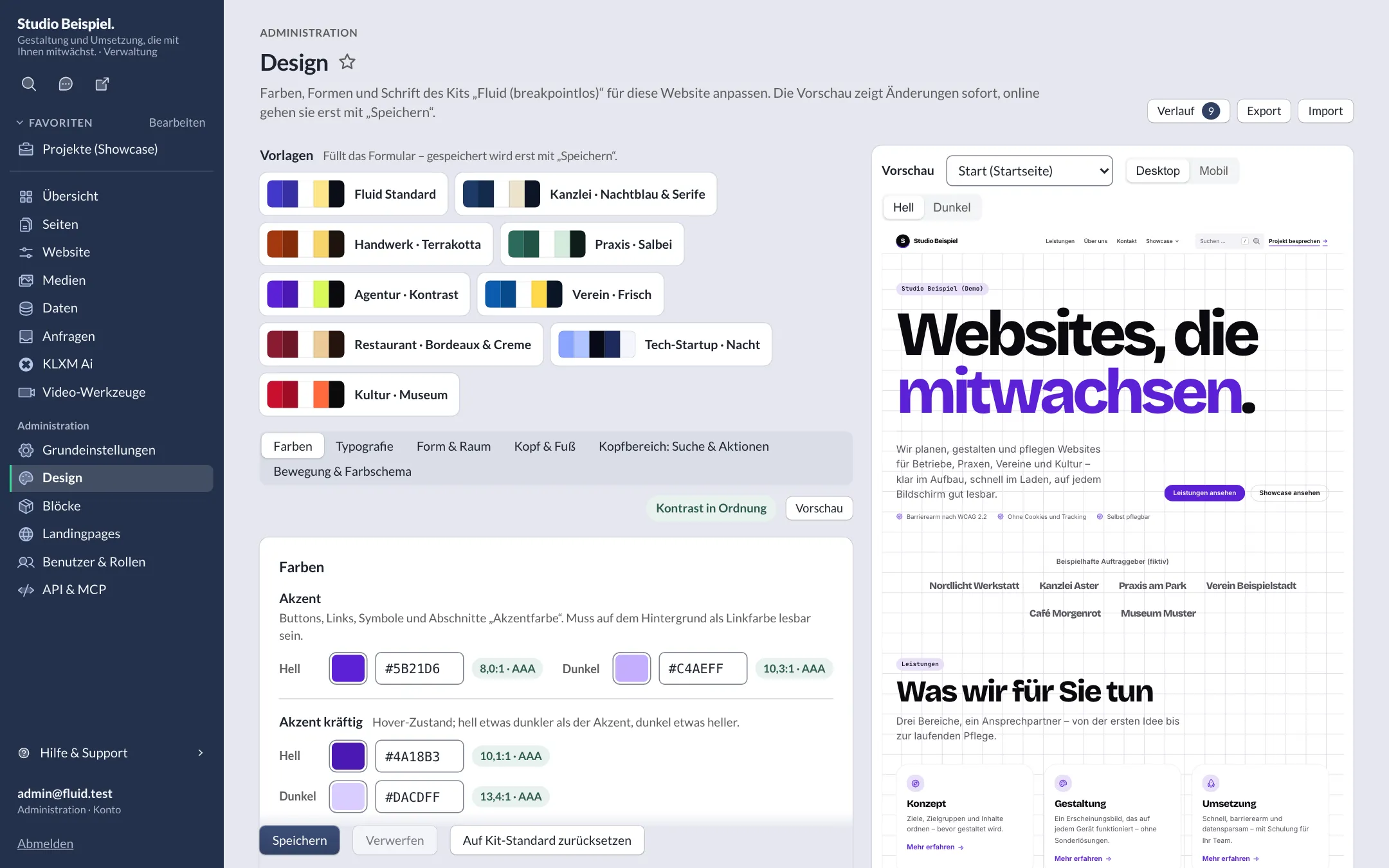
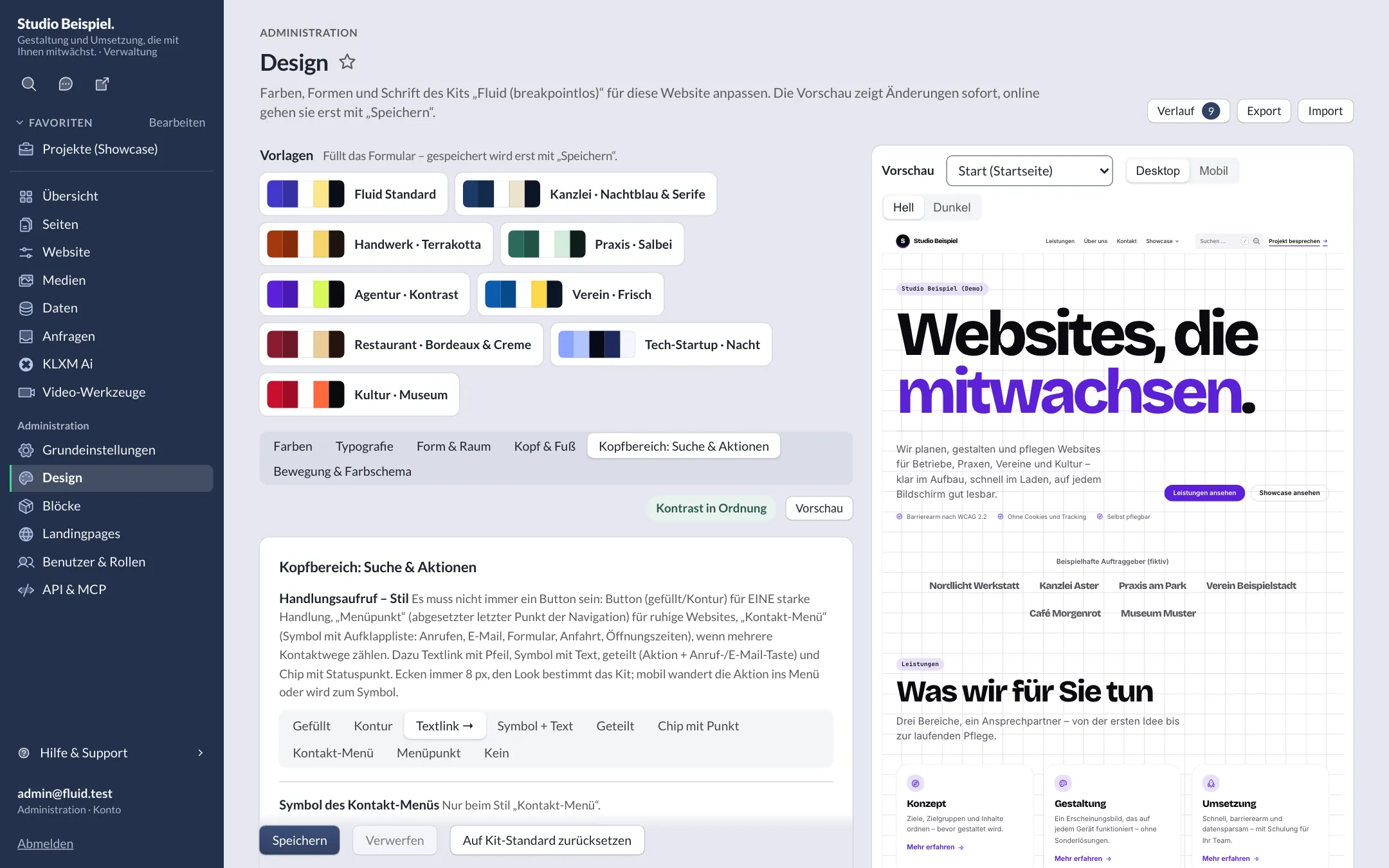
Design tokens with presets, contrast checks, live preview, history plus export and import.
-
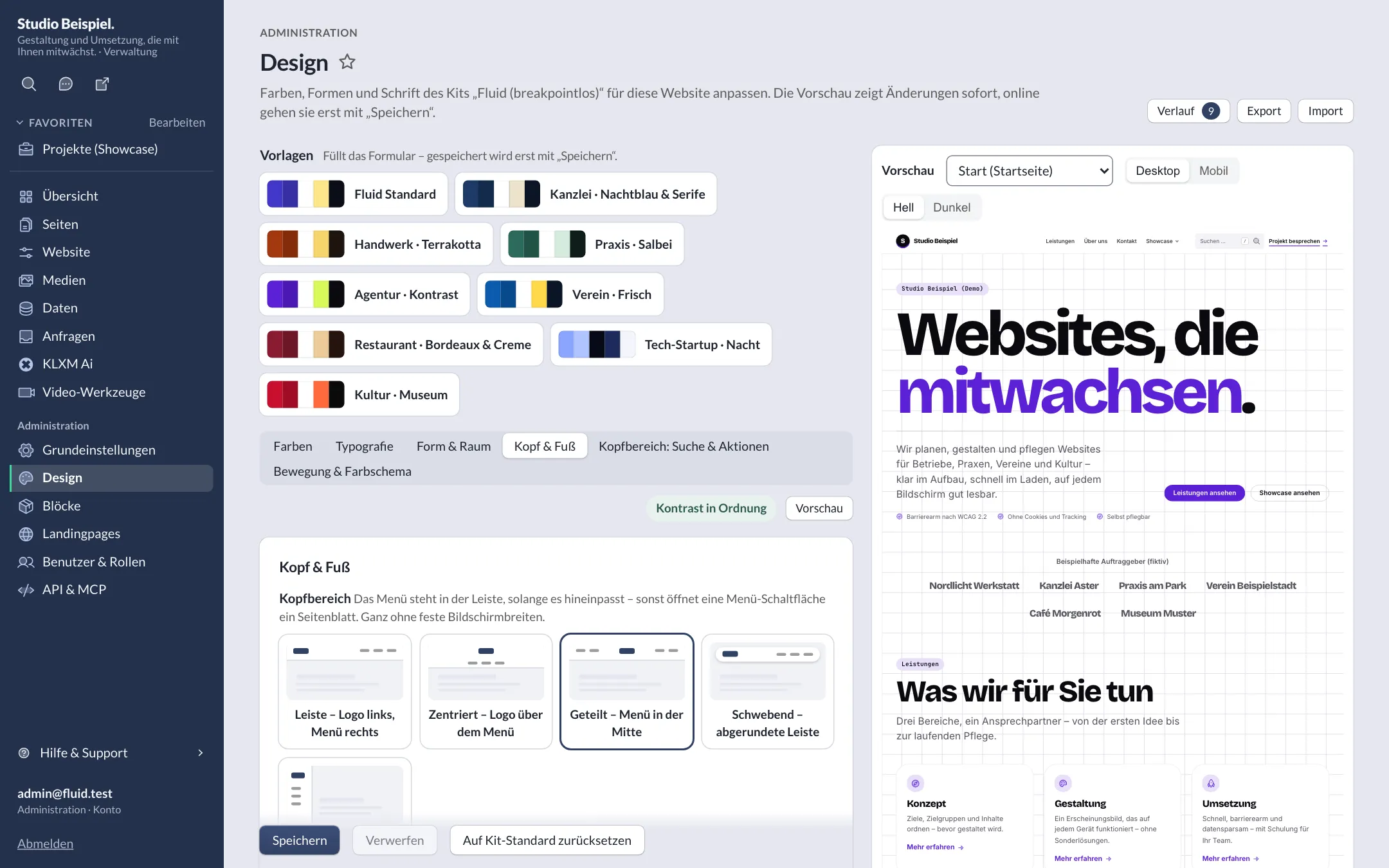
Header, footer & navigation
Several navigation variants per kit – from an inline menu to a slide-in sheet.
-
Header: search & actions
Not always a button: magnifier, search field with suggestions or a ⌘K command field, plus a call to action as text link, split action, menu item or contact menu with every contact option and opening status – per website in the style editor.
-
Hero variants
Every kit brings at least three new hero variants in its own character – e.g. search entry, product stage, key figures or dates – with a sample page; CSS loads only for the chosen variant.
-
Breakpoint-free
Fluid scales type, spacing and grid smoothly to any width.
-
Light and dark
Dark colour scheme following the device setting – presets checked for contrast in light and dark.
-
Admin accent
Every account picks its accent colour; accent:check verifies contrast against WCAG AA.
-
Self-hosted fonts
Install free fonts from the Google Fonts catalogue and serve them from your own server.
Data & media
Structured content without programming.
-
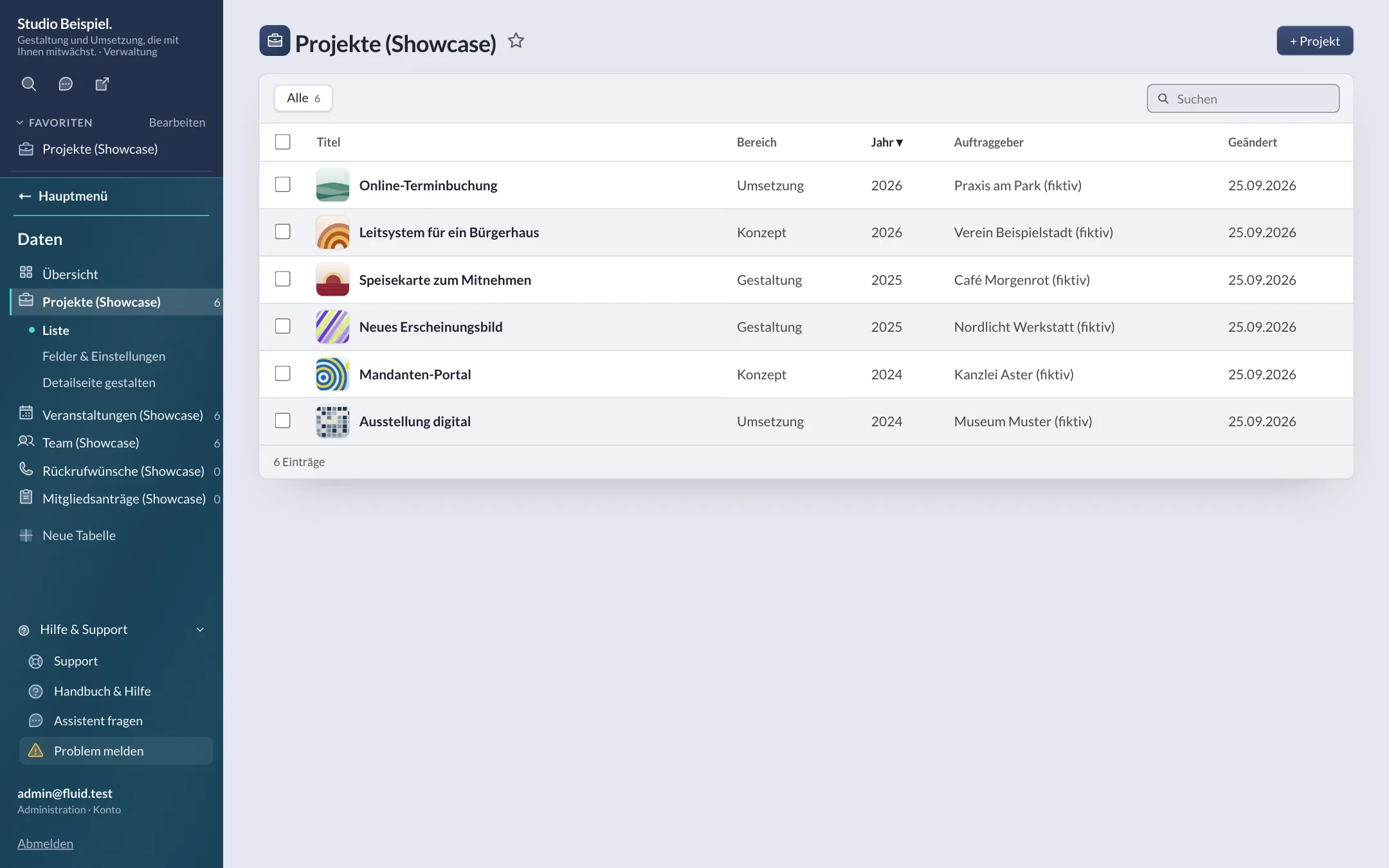
Data tables
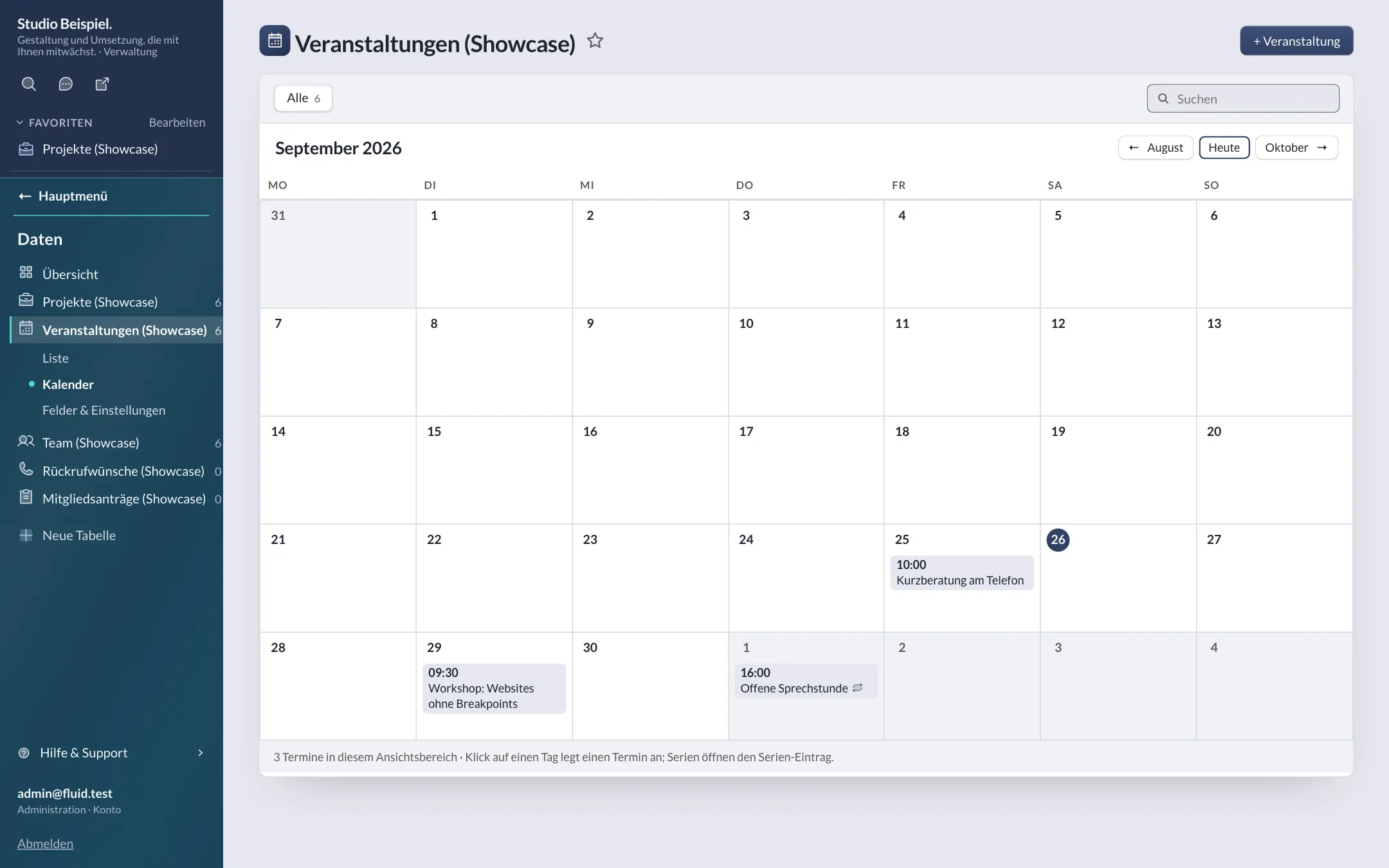
23 field types incl. relations, groups, IBAN, location and recurrence; conditions, detail pages, calendar with iCal.
-
Shared tables & pools
Tables and media libraries shared by several websites – e.g. events of an association and its clubs.
-
Media library
Finder style, chunked upload, required alt text, focal point, crops per format, collections and tags.
-
Captions & transcripts
WebVTT/SRT with editor, translation and review; transcription also via AI.
-
Encrypted requests
Inbox tables with libsodium – plain text never reaches the database; audit log and retention period.
-
Site search
Typo-tolerant, with synonyms and filters; optionally semantic.
-
External sources
Pull RSS, Atom, JSON, XML and OpenImmo 1.2 into data tables via mapping – with image import, sync and schedule.
Screenshots
Clear to use.
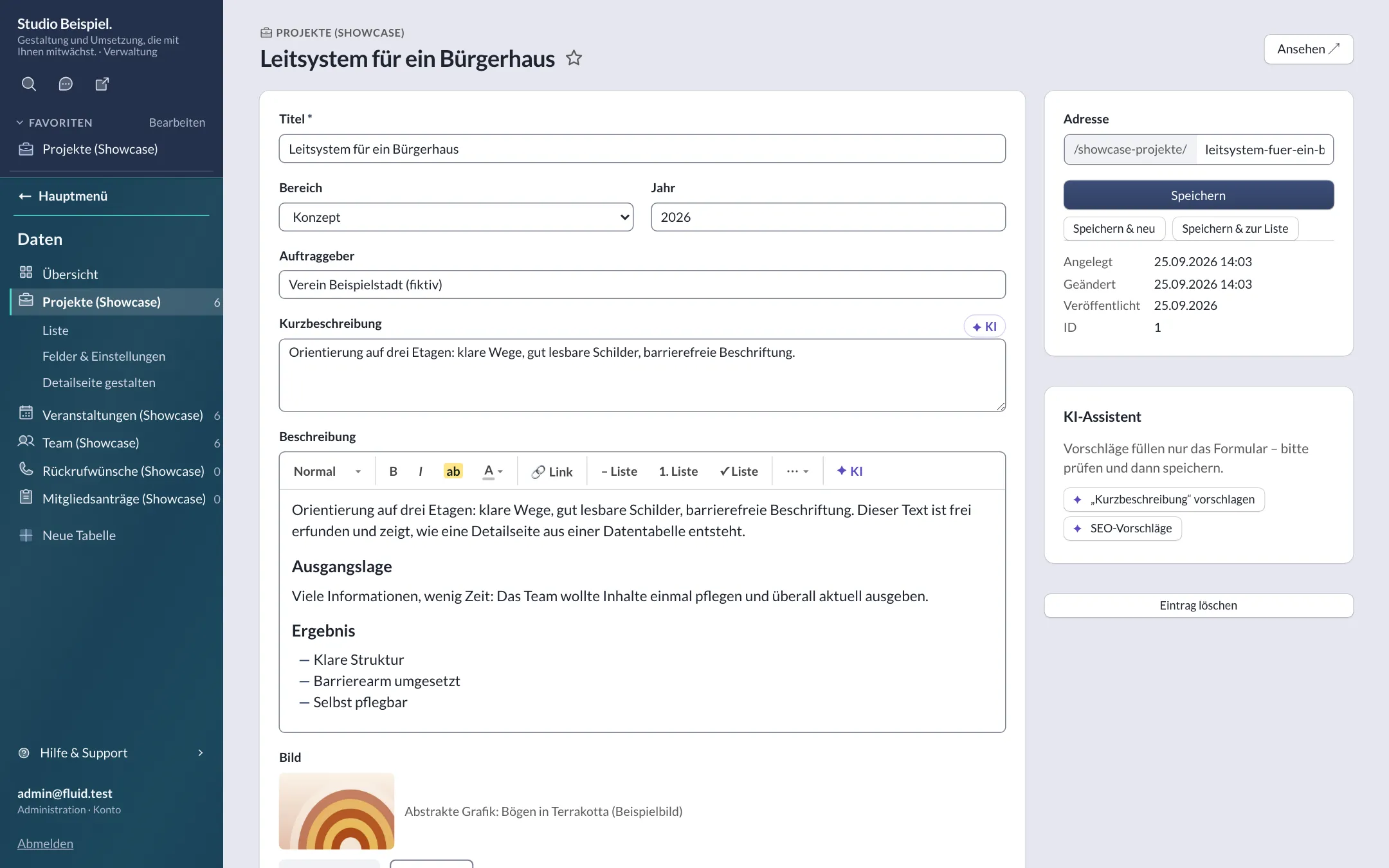
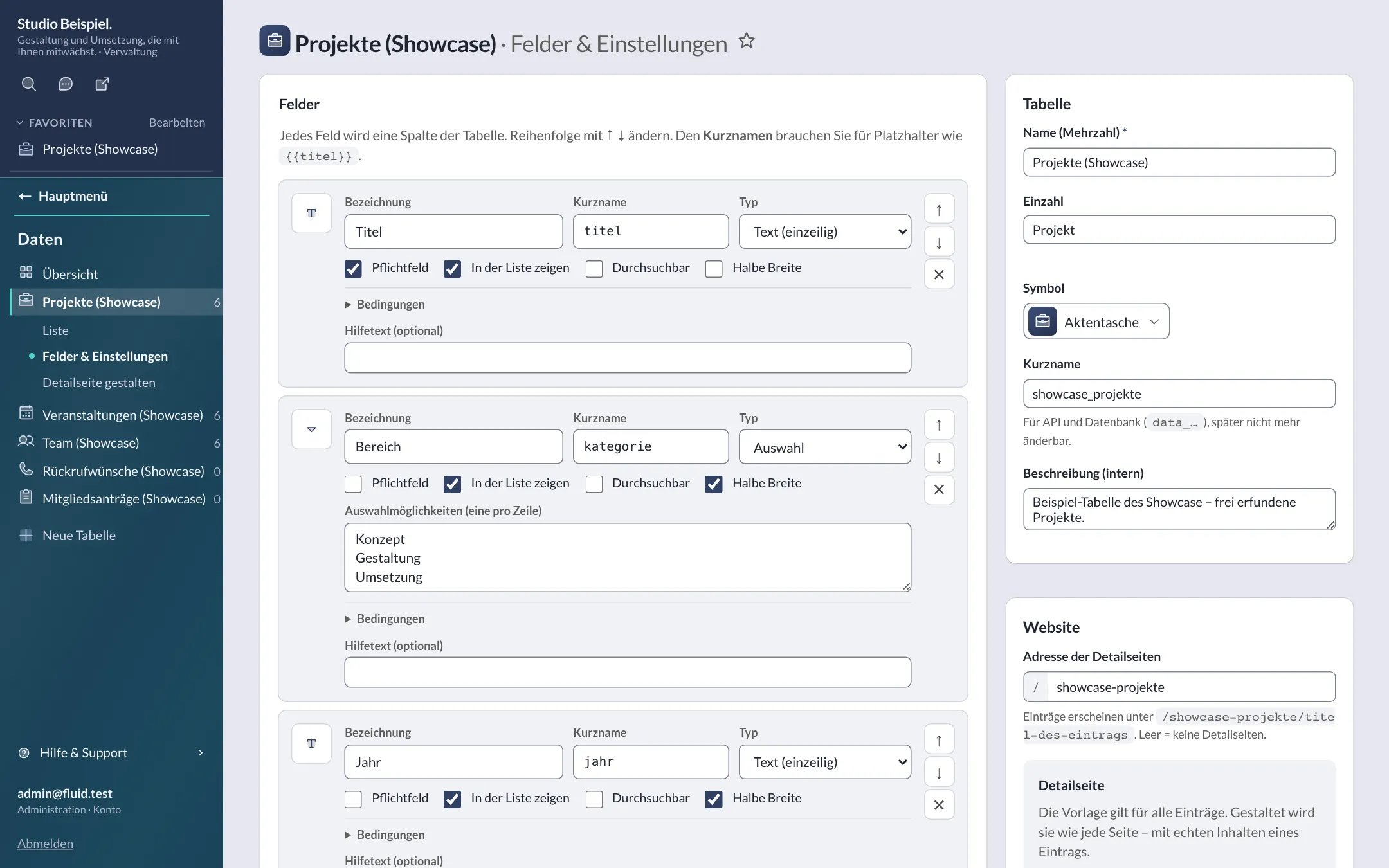
Captured in a test installation with demo content – click to enlarge. More in the tour.
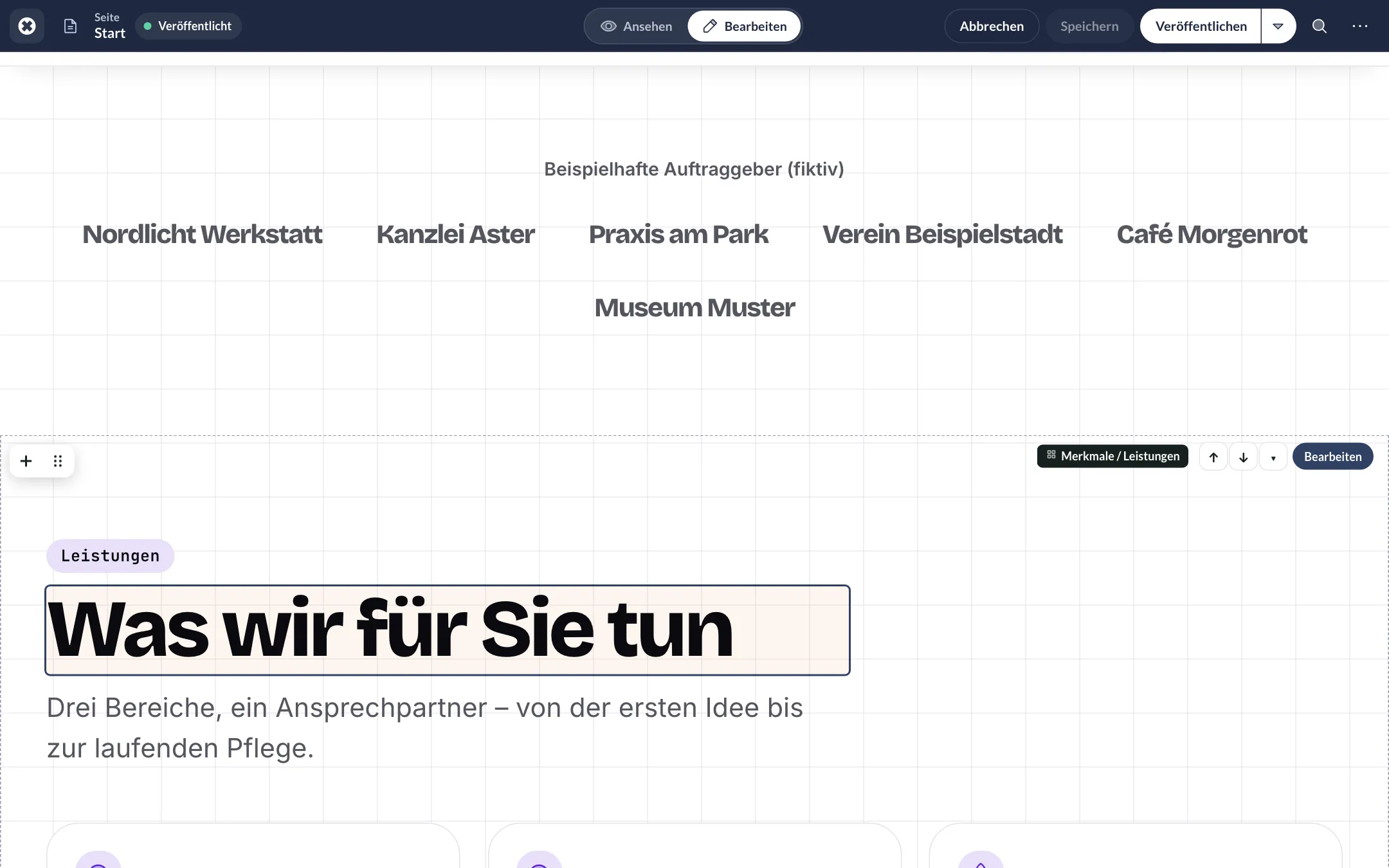
Formatting bar
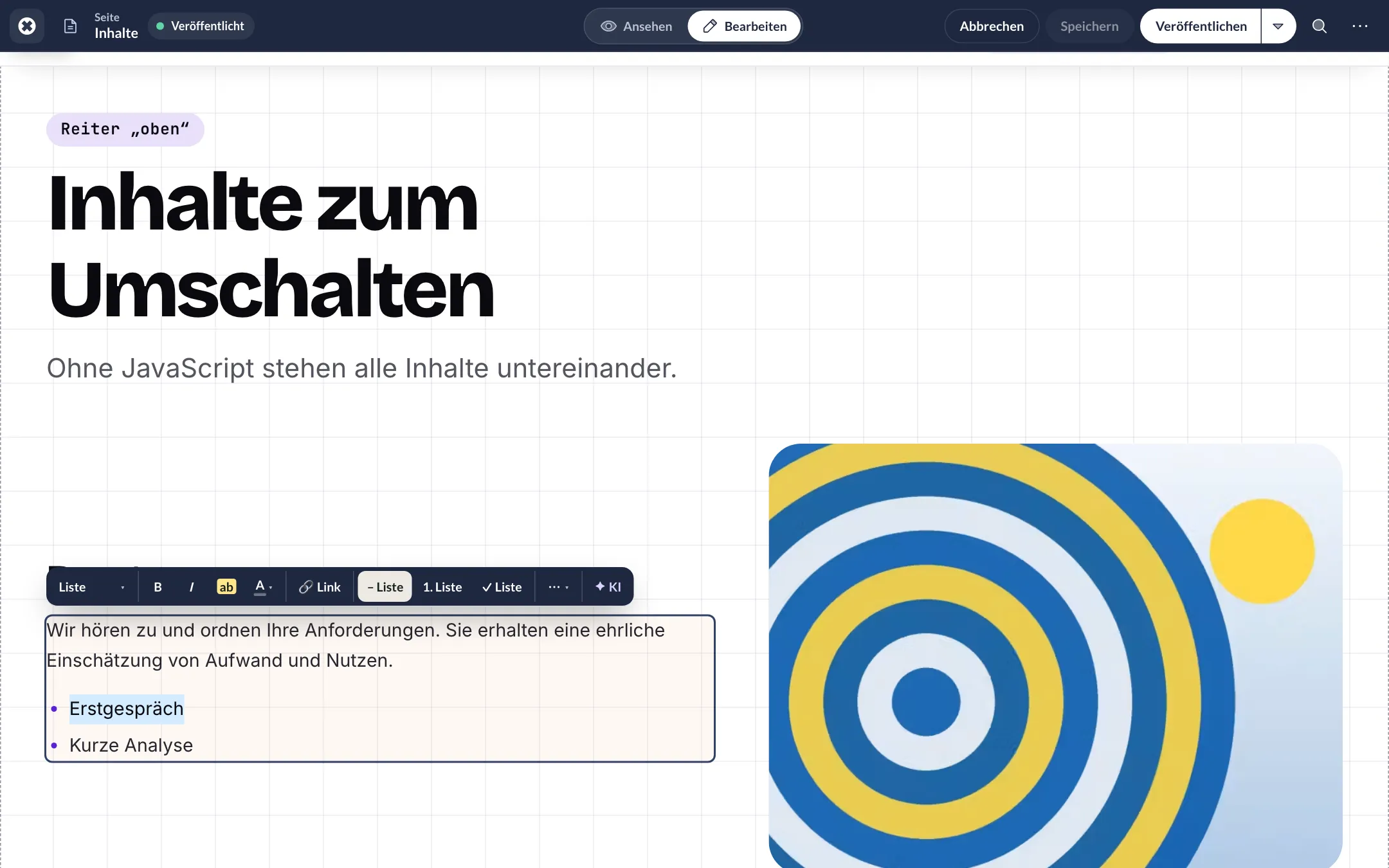
Insert block
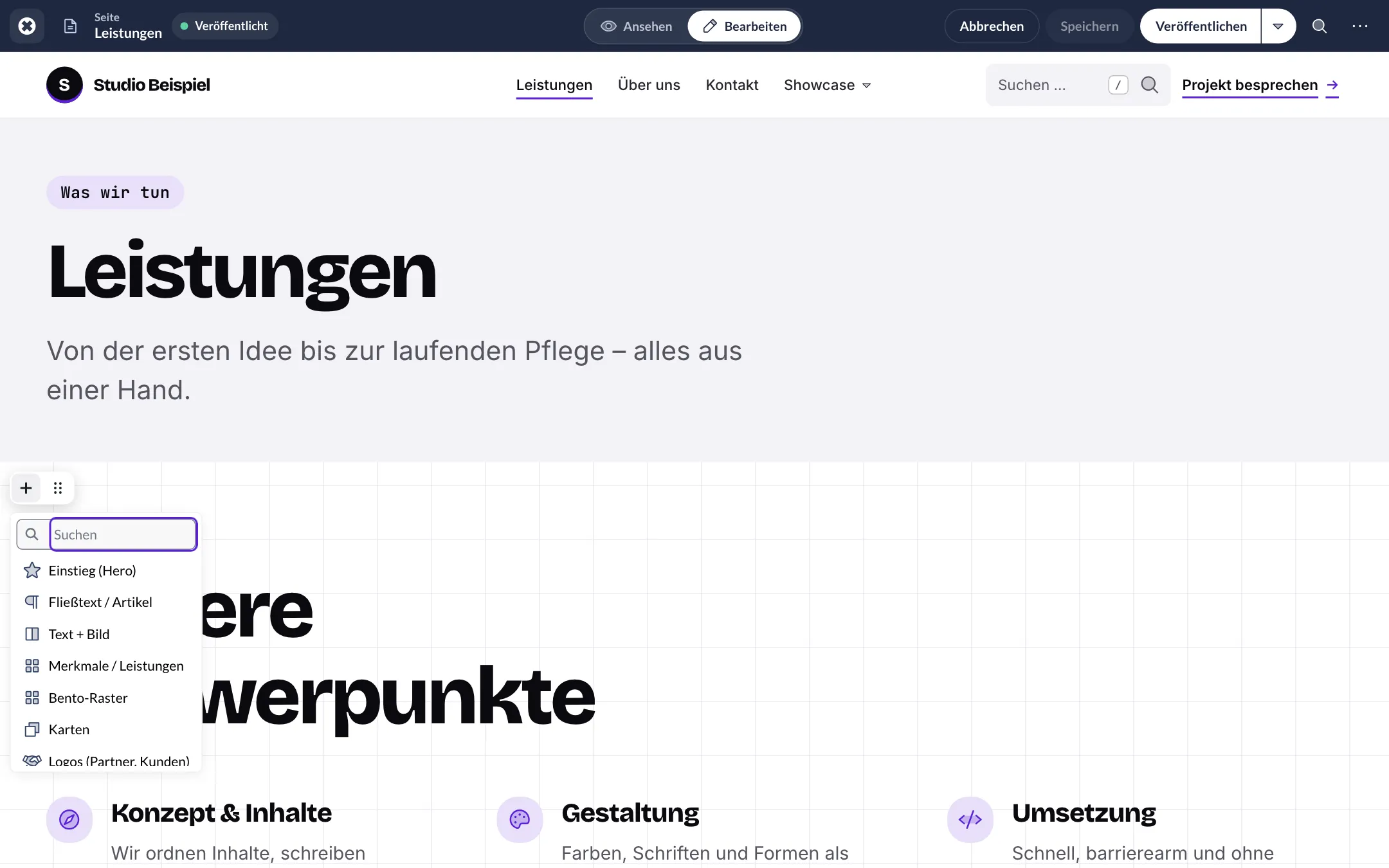
Block form
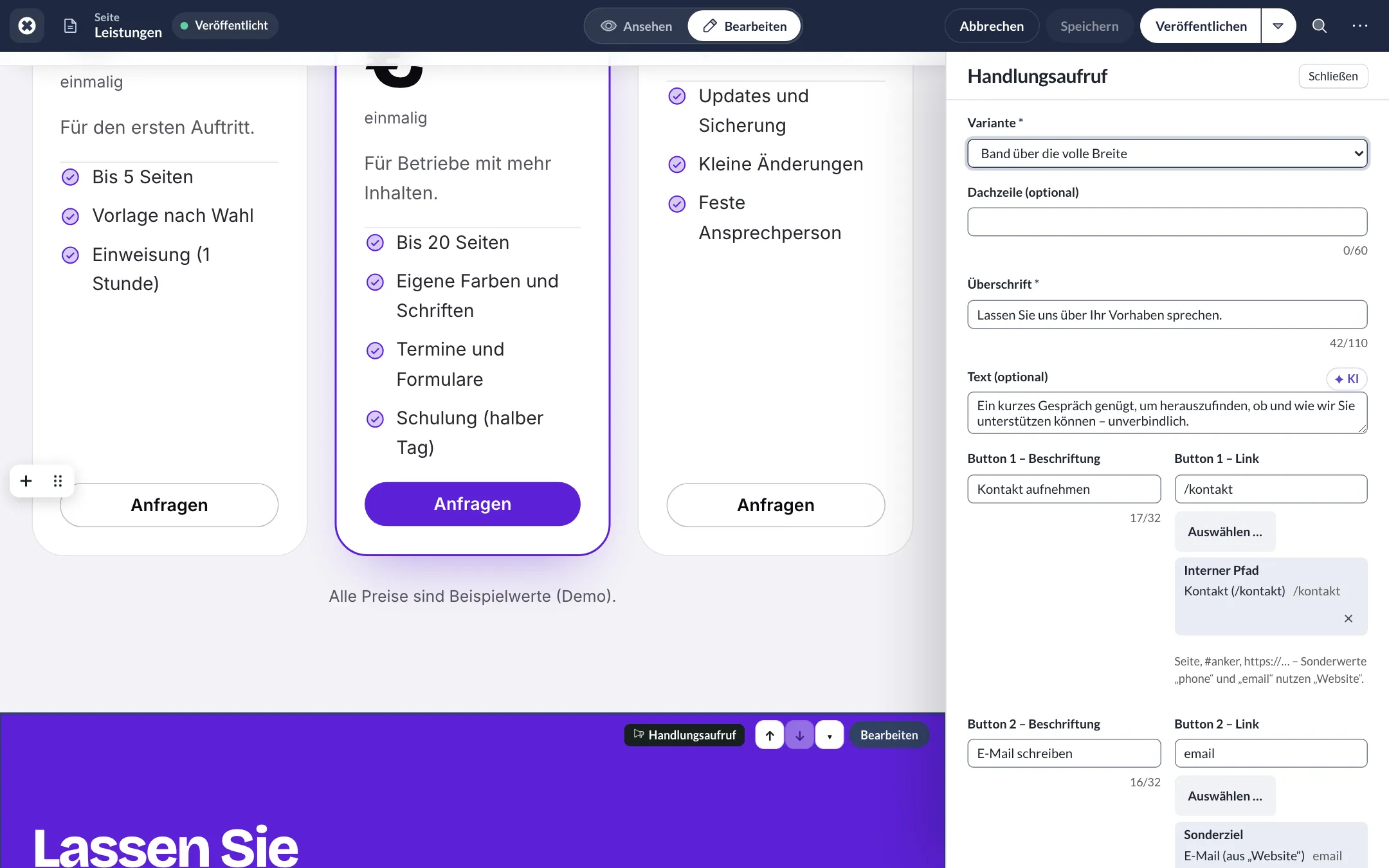
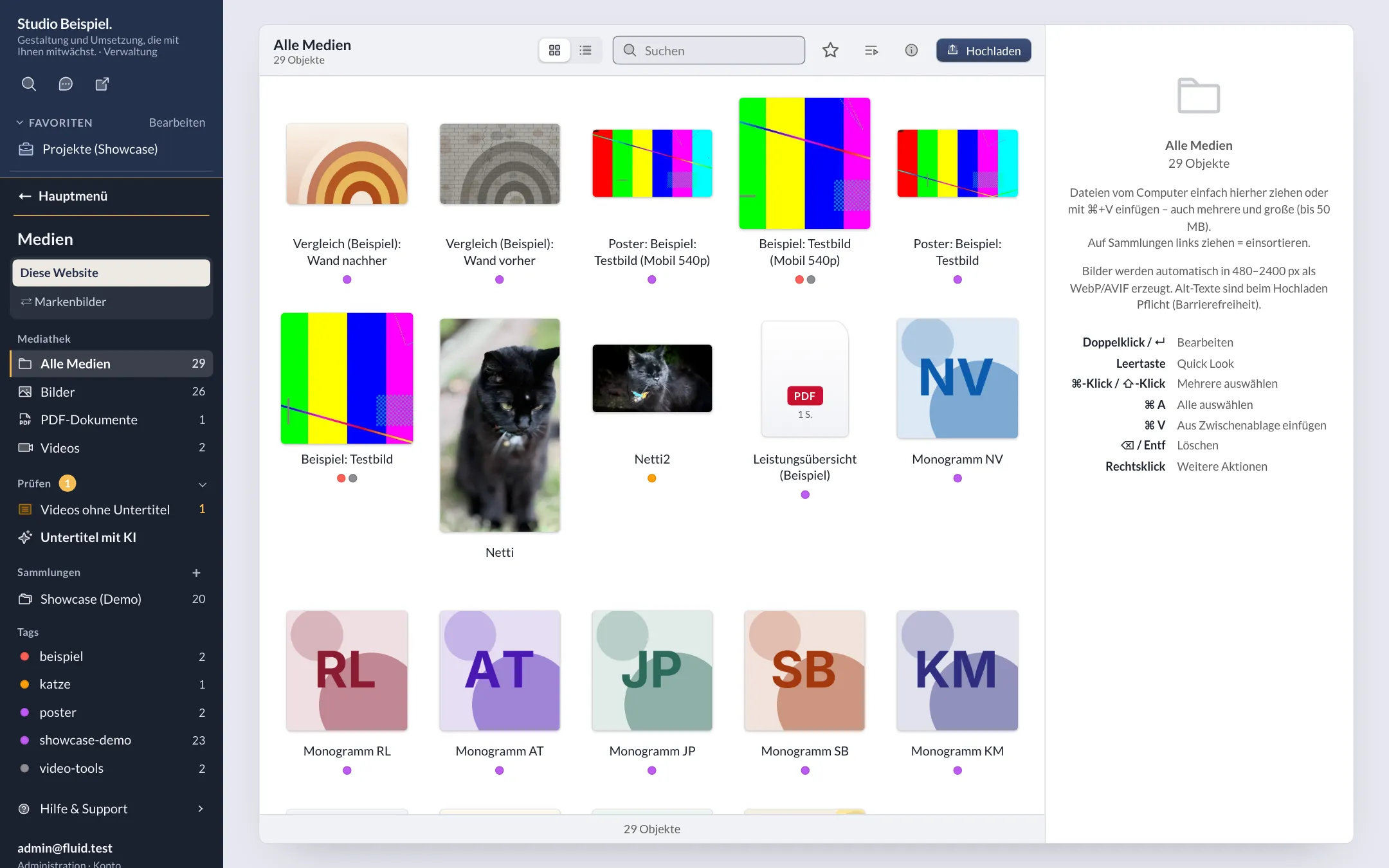
In dark mode
Editing an entry on the website
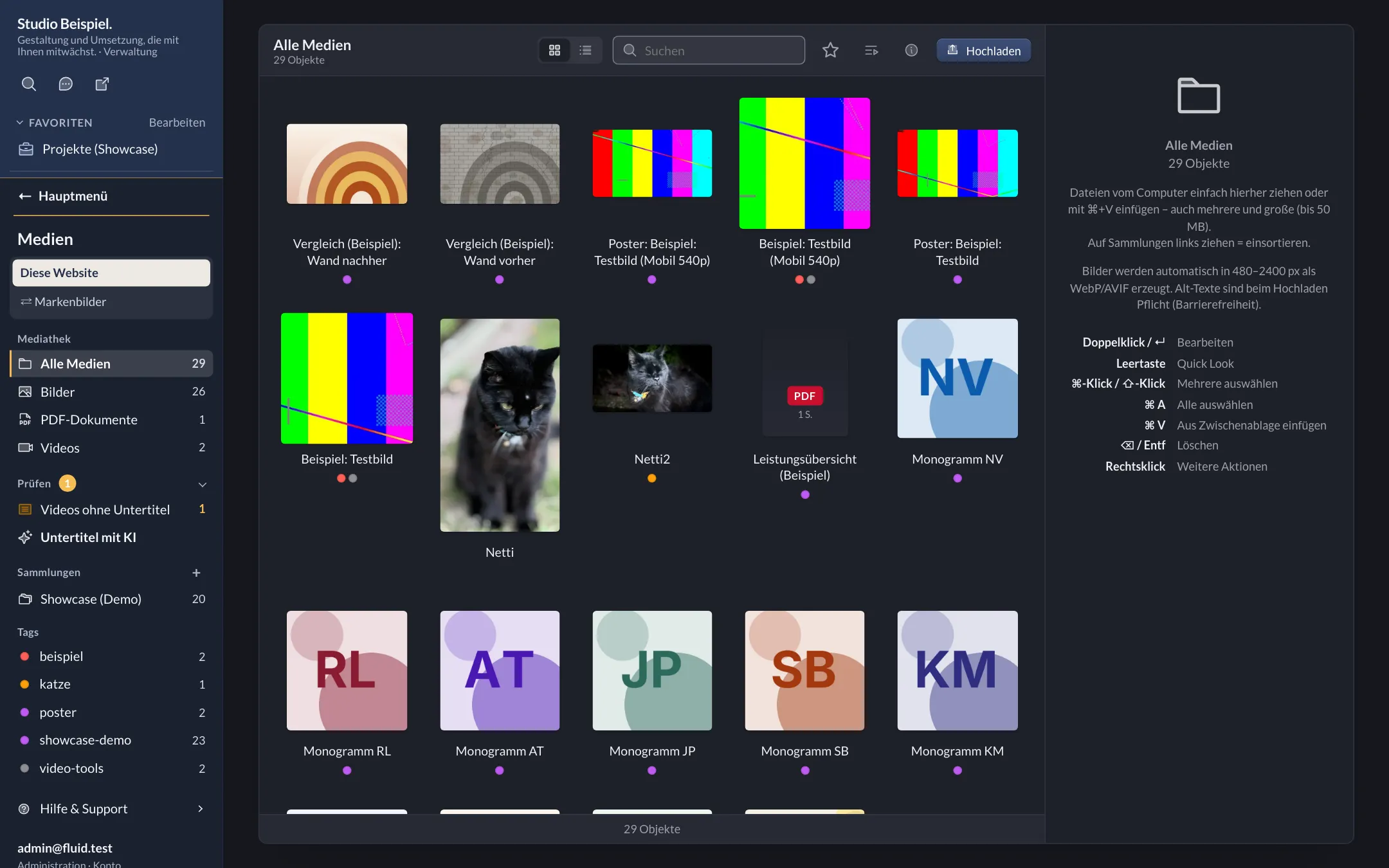
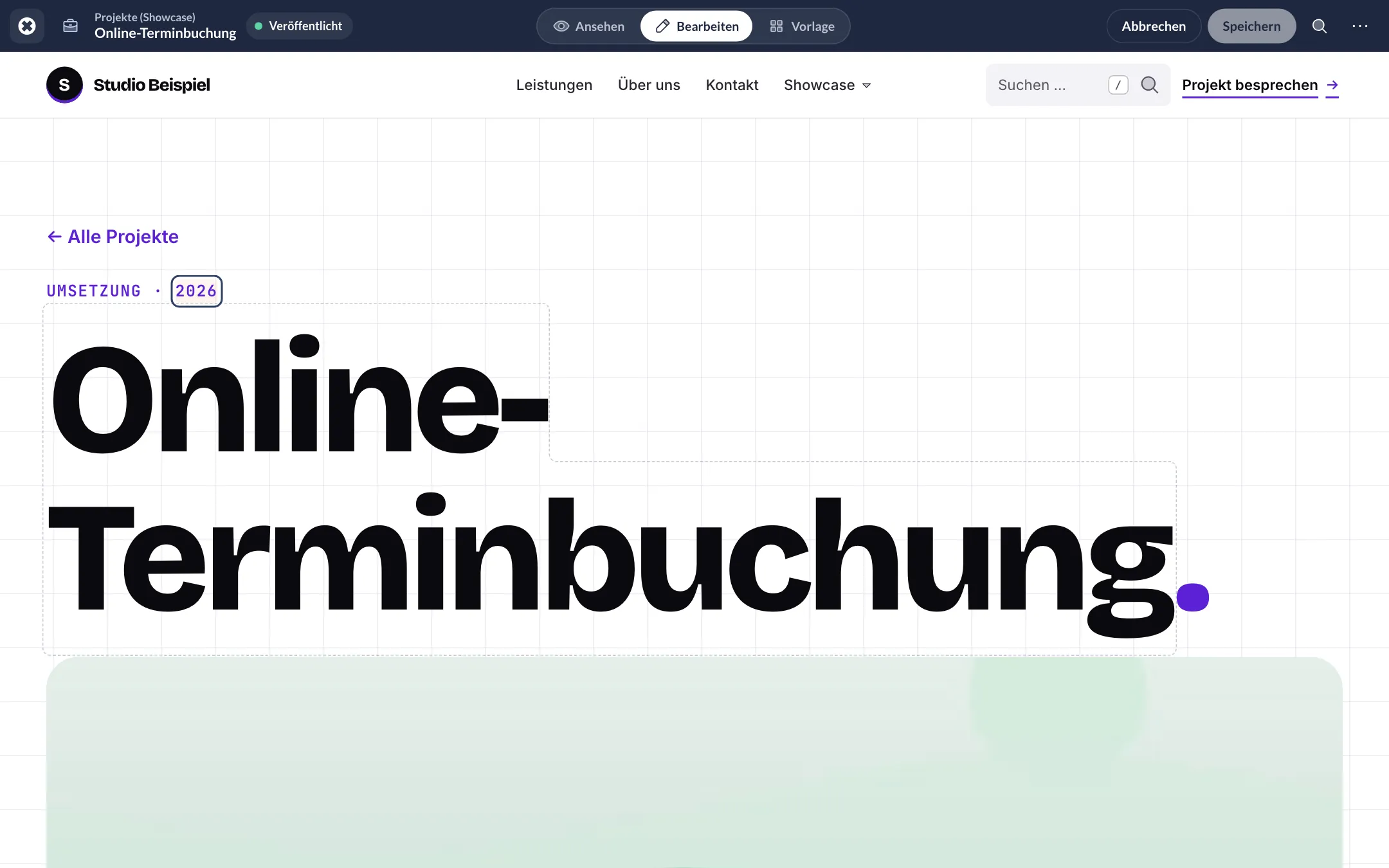
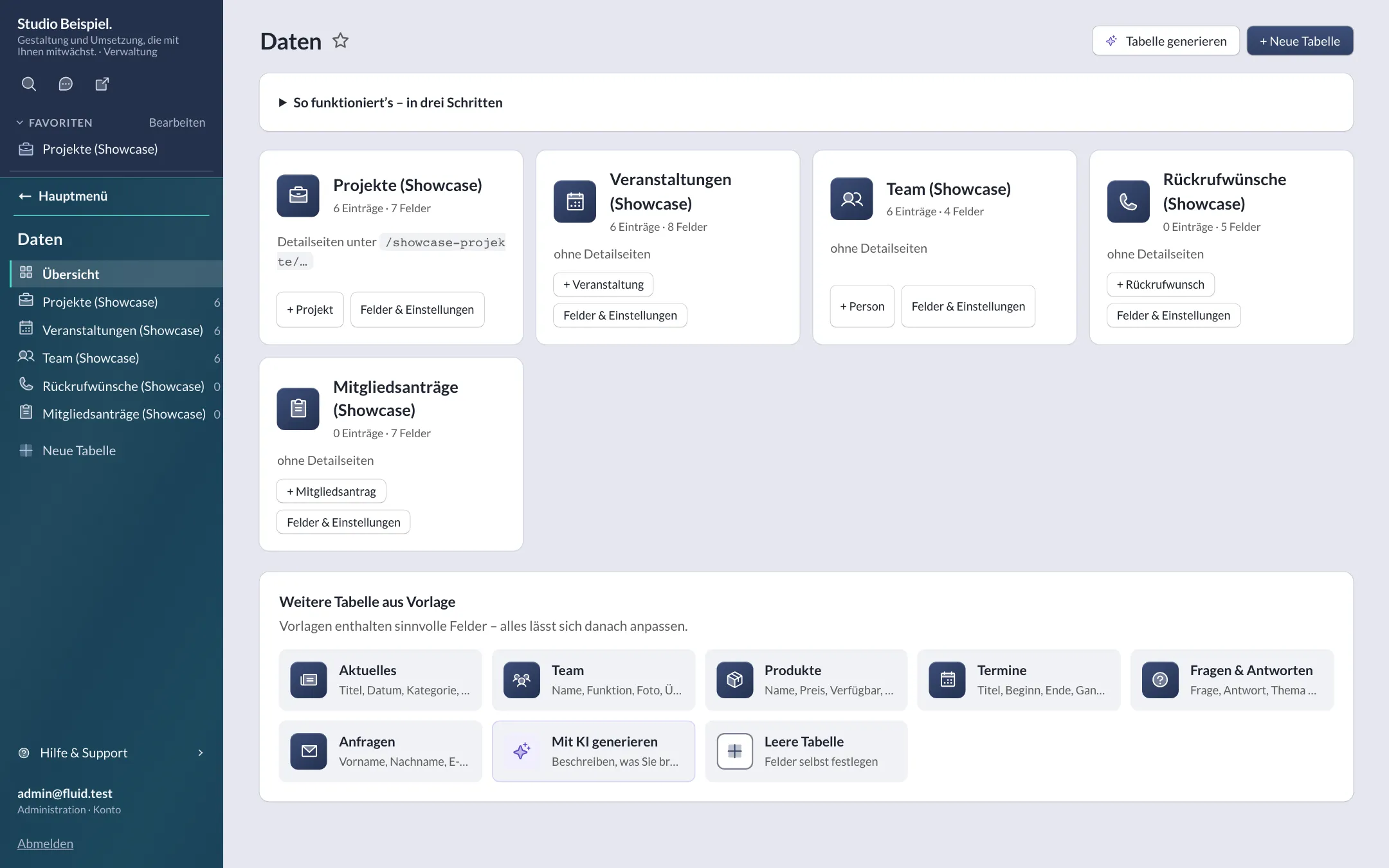
Editing an entry
Fields & settings
Calendar view
Header: search & actions
Header & footer
Block builder with preview
New website dashboard
Sidebar with area colours
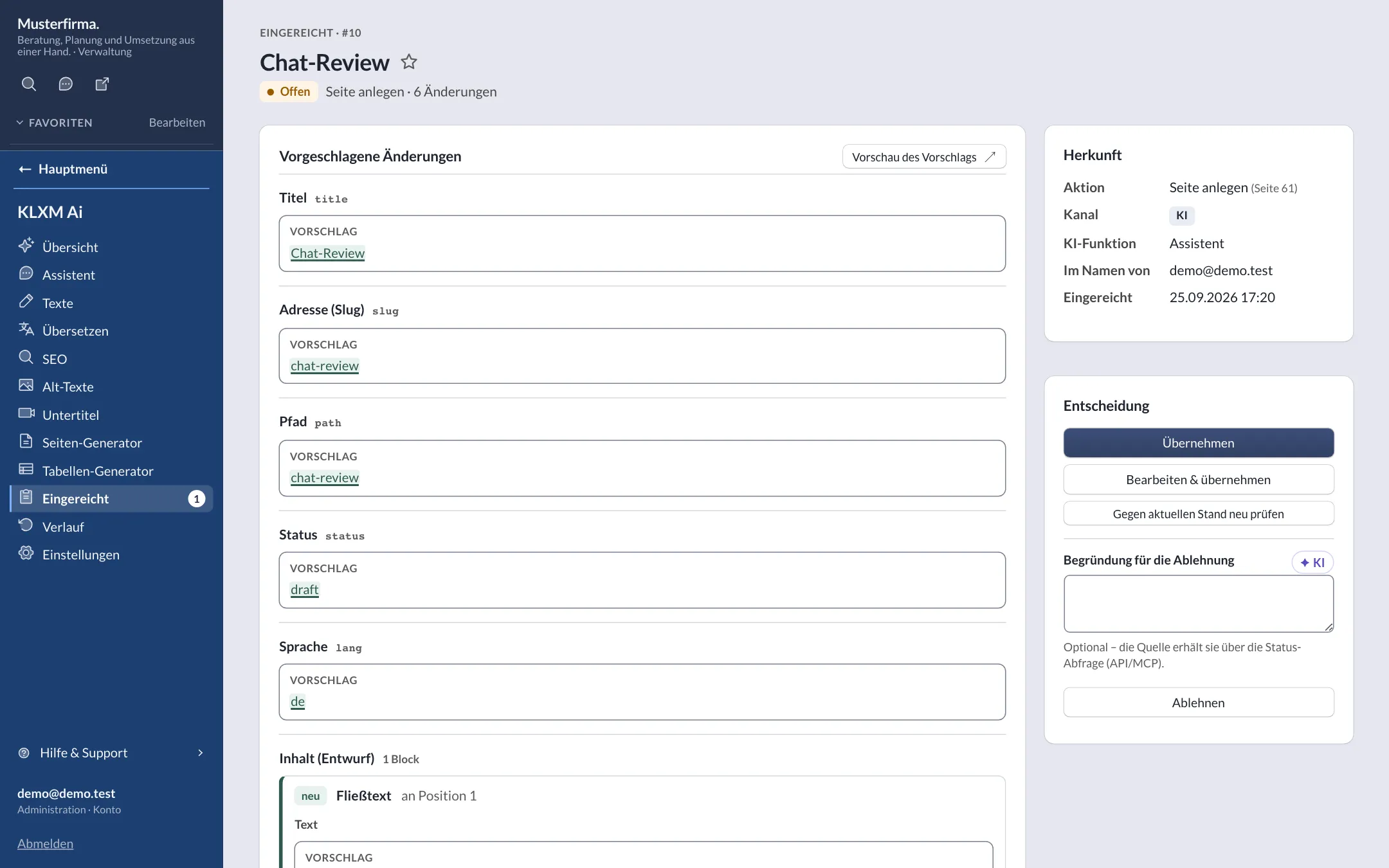
Review queue “Submitted”
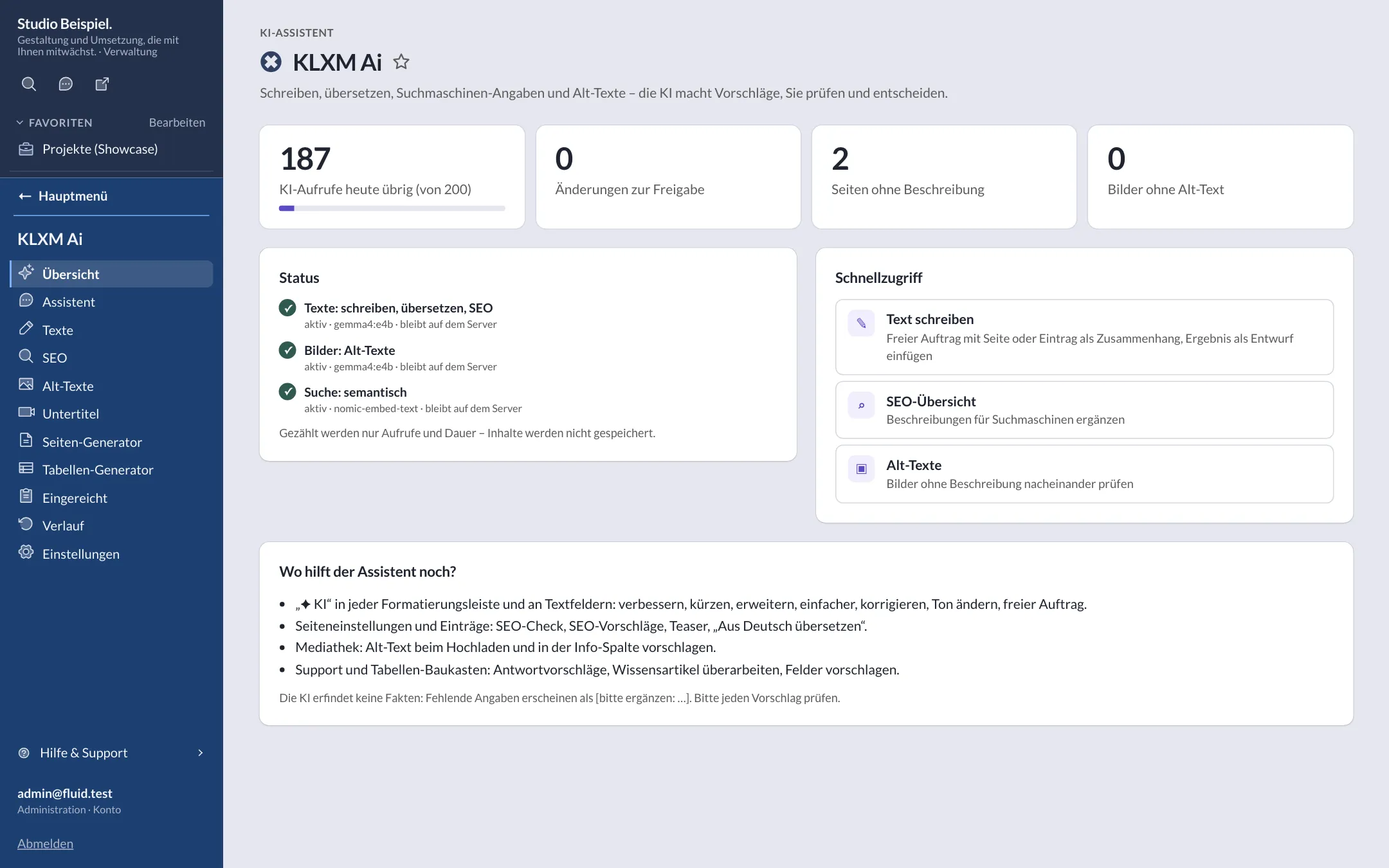
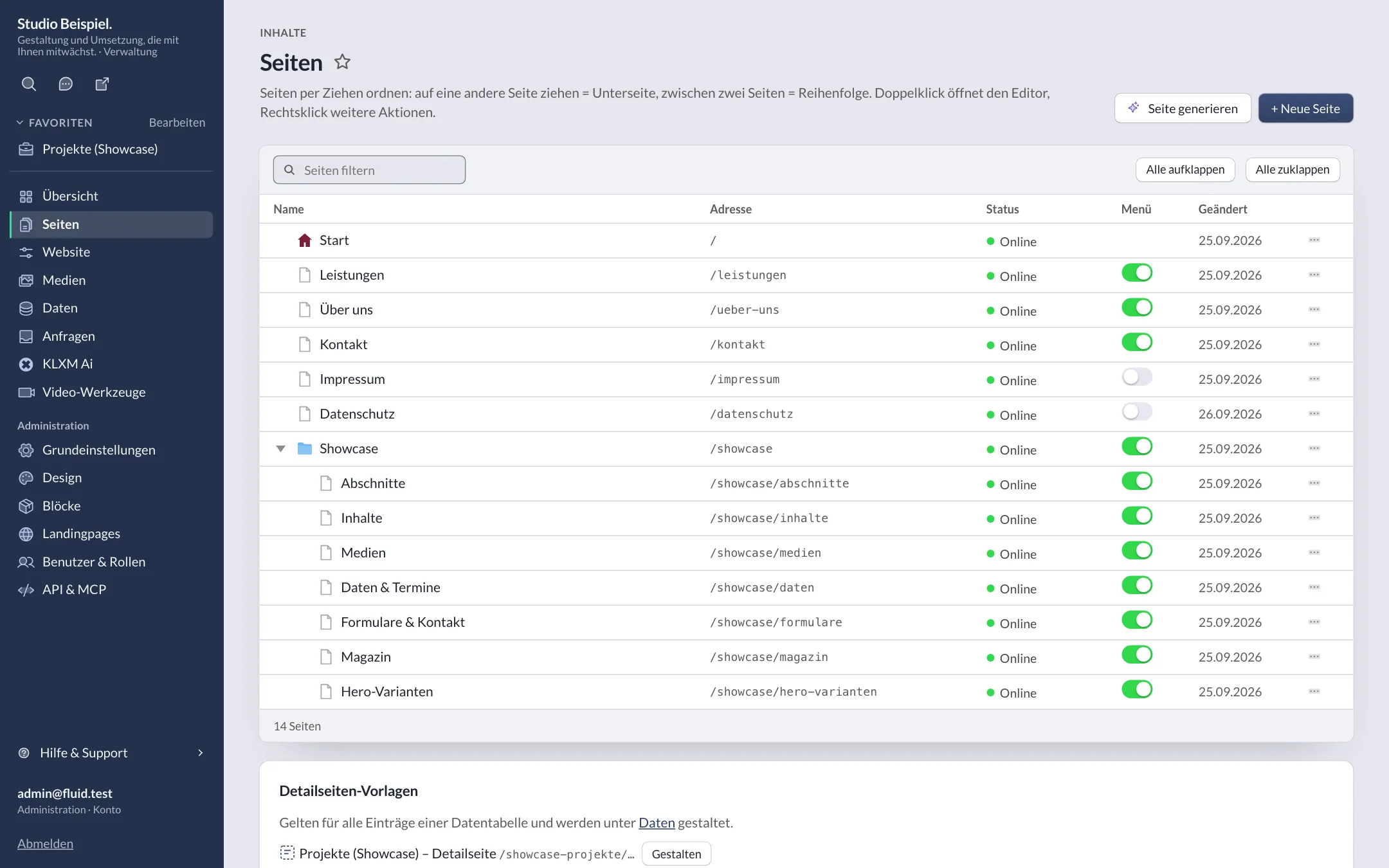
Multisite & network
For agencies and networks.
-
Many websites
Any number of websites per installation – own domain, database, media and users.
-
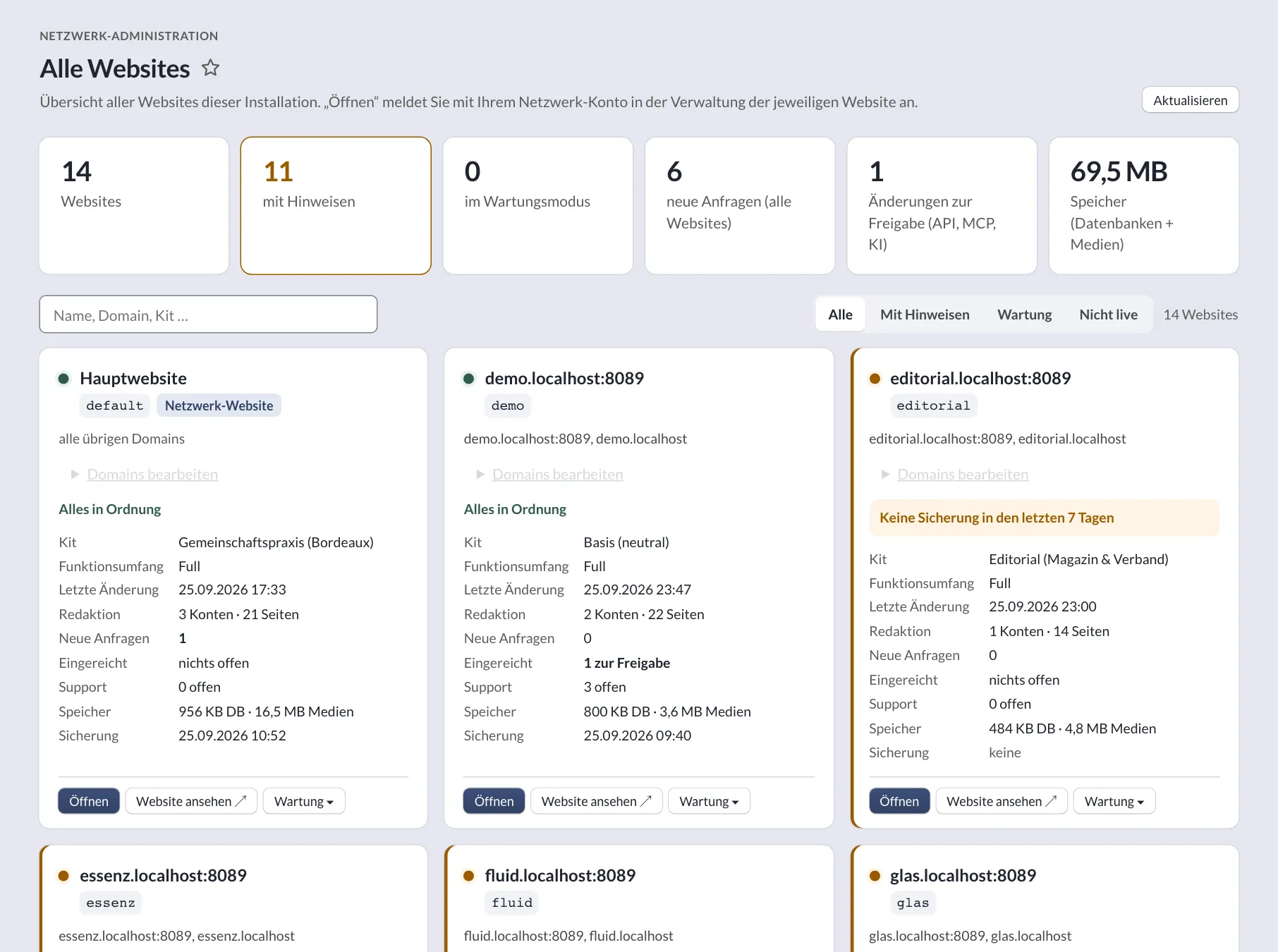
Network administration
Overview of all websites, maintenance mode, “backup now” and single sign-on via one-time token with audit log.
-
Landing pages with own domains
Additional domains show a page or a branch of a website – with their own sitemap.
-
Feature scope per website
Presets full, content and minimal, individual features, block lists and extensions.
-
Support & chat
Reports with screenshots, knowledge base and chat between admin users.
-
Roles & permissions
Freely composed roles, data permissions per table.
Security & privacy
Secure sign-in, privacy-friendly delivery.
-
Passkeys & two-factor
Sign-in with passkey or authenticator app (TOTP) and recovery codes; mandatory for network accounts and selected roles.
-
Cookie-free out of the box
Out of the box without cookies or trackers for visitors. If you embed services such as analytics or videos, the Consent Kit asks for consent first. Only signed-in editors get a technically necessary session cookie. No CDNs; maps and video thumbnails are served through your own proxy.
-
Strict CSP
Content Security Policy without inline scripts, CSRF protection, rate limits, IP hashes instead of IP addresses.
-
Encrypted secrets
Form requests sealed, SMTP password and 2FA secrets stored encrypted.
-
Accessible
Designed for WCAG 2.2 AA: contrast checks, keyboard use, captions and transcripts.
-
Local fonts
All fonts are served from your own server – no requests to font services.
-
Consent Kit (extension)
If you do embed consent-based services: 38 templates (DE/EN), a per-domain matrix, a banner as a web component in the site’s design (light/dark), two-click placeholders for videos, Google Consent Mode v2, GPC, conversions without code, a log without IP address or user agent. The CSP only widens after consent, never with unsafe-inline. Without an active service: no banner, no script, no cookie.
Developers
Open interfaces, lean core.
-
REST API
OpenAPI 3.1, tokens with read/write level, expiry and “for approval” mode.
-
MCP server
Model Context Protocol over Streamable HTTP – same domain logic and tokens as the API.
-
Command line
bin/console for websites, accounts, migration, health, backups, search and AI.
-
PHP 8.4 without a framework
Front controller, no .htaccess, SQLite or MySQL/MariaDB; kits and extensions as packages.
-
Staging & deploy
Releases with atomic switching, rollback and a backup before going live.
-
Open Source
MIT licence for core, kits and extensions – free to use, including commercially.
Licence: Open Source
Custom block
A few command-line examples
This section is a custom block from the block builder – fields, template and CSS, without any PHP.
php bin/console site:create kunde www.kunde.de essenzNew website with its own databasephp bin/console user:create name@example.org adminCreate the first accountphp bin/console migrate --allUpdate databases after a releasephp bin/console healthDeploy check (exit code 1 on errors)php bin/console site:backup --keep=14Back up database and media
Contact
Talk to KLXM Crossmedia.
A demo, use in your agency or technical questions – we answer personally.
Am Schürmannshütt 40g
47441 Moers
Germany
- Phone
- +49 2841 889998-0
- info@klxm.de
- Website
- klxm.de (opens in a new tab)